Building Materials Quote Template: How to List Materials in a Builder's Quote
Quick Answer
A building materials quote template lists every material required for a construction project with quantity, unit, unit cost, and total. A properly structured materials quote separates materials from labour so clients understand both components of the overall cost. Key columns: item description, unit of measure (m², m, nr, kg), quantity, unit rate, waste allowance, and total cost.
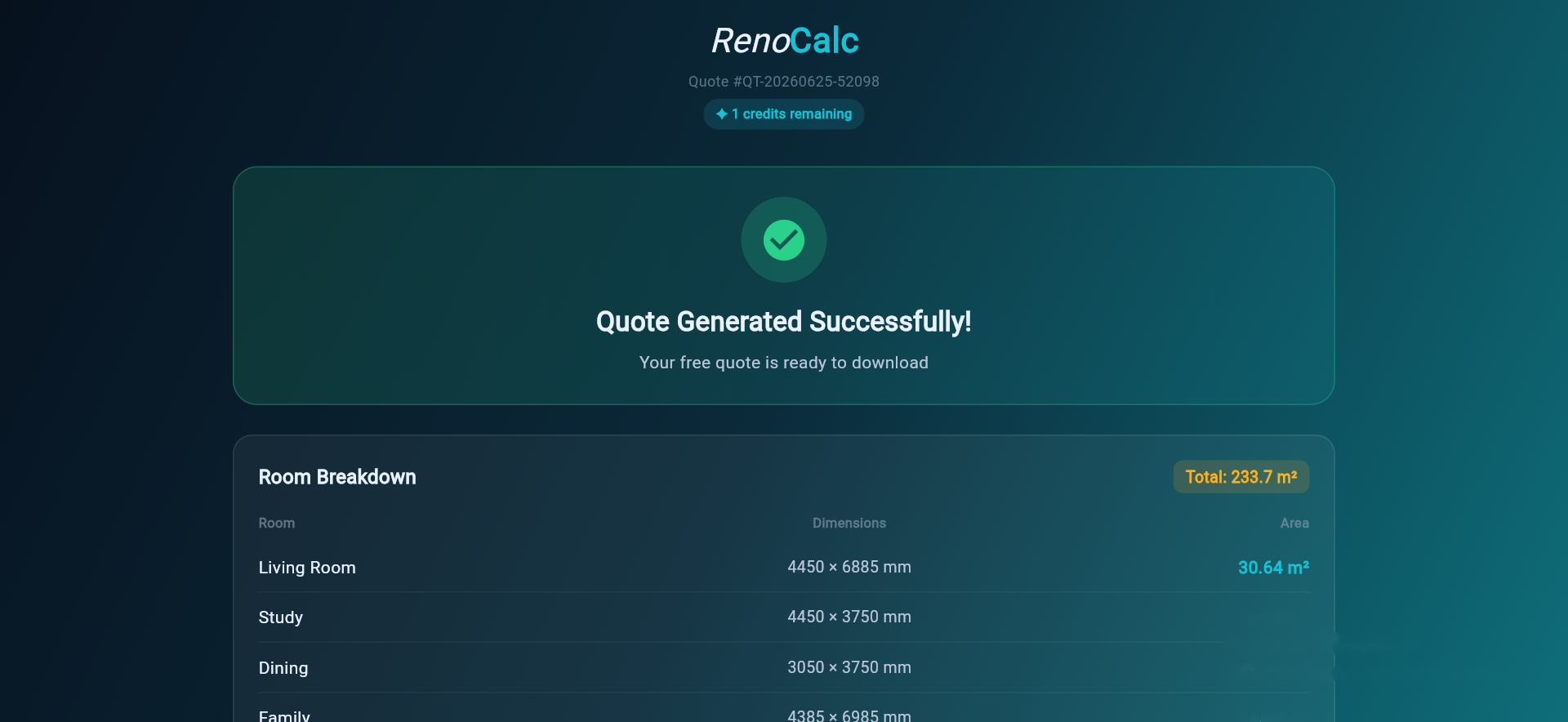
A building materials quote template is a specific document — not a full job quote, but the materials-only section that shows what you are buying and what it costs. Builders use it in two ways: to cost materials from a supplier before the job starts, and to show clients the materials split within a full quote.
Done well, a materials quote is a genuine management tool. It tells you what to order, when to order it, and from whom. It tells the client exactly what their money is buying in terms of physical product. And it protects both sides if material specifications change during the job.
This guide covers the essential columns, the logic of separating materials from labour, and how RenoCalc calculates room-by-room material quantities and prices them automatically from a floor plan.
What a Building Materials Quote Template Is (and Is Not)
A building materials quote is not a full construction quote — it is the materials-only section. It may be used standalone (when a builder is pricing materials from a merchant before quoting the labour separately) or as a subsection of a full job quote (to show the client the materials element of the total price).
It is different from a material takeoff. A takeoff is the quantity calculation — how much of each material is needed. The materials quote takes those quantities and applies a unit price to produce the cost. In practice these two steps often happen together, but the distinction matters: the takeoff requires measurement skills and knowledge of waste factors; the pricing requires current market knowledge.
A materials quote template designed for UK construction should cover materials by trade, listed room by room or by area, with quantities, units, unit costs and totals clear enough that a merchant could check the list and price it line by line.
The Essential Columns
Whether you are building the list in a spreadsheet or generating it from software, the column structure is the same. Leave any of these out and the list becomes ambiguous — and ambiguity costs money.
| Column | What to Include | Notes |
|---|---|---|
| Item description | Specific product or material name and specification | Vague descriptions cause substitutions. "12.5mm plasterboard" not "plasterboard" |
| Unit | m2, m, nr (number), litre, kg, bag, sheet | Must match the unit the merchant prices in |
| Quantity | Net quantity from takeoff | Add waste factor in a separate column or note |
| Waste allowance (%) | Percentage added for cut waste and breakage | Tiles: 10–15%; plasterboard: 10%; timber: 10–12% |
| Order quantity | Quantity + waste, rounded to nearest pack/sheet/length | This is the number you actually order |
| Unit cost | Price per unit from supplier or price library | Note the supplier and price date — costs change |
| Total cost | Order quantity x unit cost | The line total that feeds into the quote total |
| Supplier / specification | Merchant name or product reference | Allows like-for-like comparison and re-pricing |
Group the list by trade first (carpentry, plastering, tiling, painting, electrics, plumbing) and then by room within each trade. This makes it far easier to cross-reference against the labour quote, which should follow the same trade-by-room structure.
Waste Factors — Don't Ignore Them
Net quantity and order quantity are different numbers, and failing to account for waste is one of the most common causes of under-ordering and mid-job material runs. Standard UK waste factors for common materials:
- Ceramic and porcelain tiles: 10–15% (higher for diagonal layouts or complex cuts)
- Plasterboard: 10%
- Timber studwork and joinery timber: 10–12%
- Floor coverings (LVT, carpet): 10–15% depending on room shape
- Paint: nil waste, but allow for second coat in coverage calculations
- Concrete block: 5%
- Brick: 5–7% (standard bond, not feature or tumbled)
Why Separating Materials from Labour Matters
Builders who lump materials and labour into a single rate give clients no visibility into the cost structure. That creates problems in two directions.
First, if a client wants to change a material specification mid-job — swap the standard tile for a premium one, upgrade the door handles, change the flooring from carpet to LVT — there is no clean mechanism to adjust the quote. The builder has to revise the whole rate, which looks like guesswork to the client and creates an opportunity for dispute.
Second, when comparing quotes from multiple builders, a client cannot tell whether one builder is using higher-quality materials, more expensive labour, or simply a wider margin. Showing the materials split makes your quote transparent — and transparency builds trust at the quote stage, which is where jobs are won.
Separating materials and labour also protects the builder. If material prices rise significantly between the quote date and the order date — as they did sharply in 2021–2022 — a materials-only section with a stated price date gives the builder a clear basis to request a variation. A combined rate offers no such protection. For industry-standard approaches to materials cost reporting, refer to RICS guidance on construction cost management.
How RenoCalc Handles Material Pricing
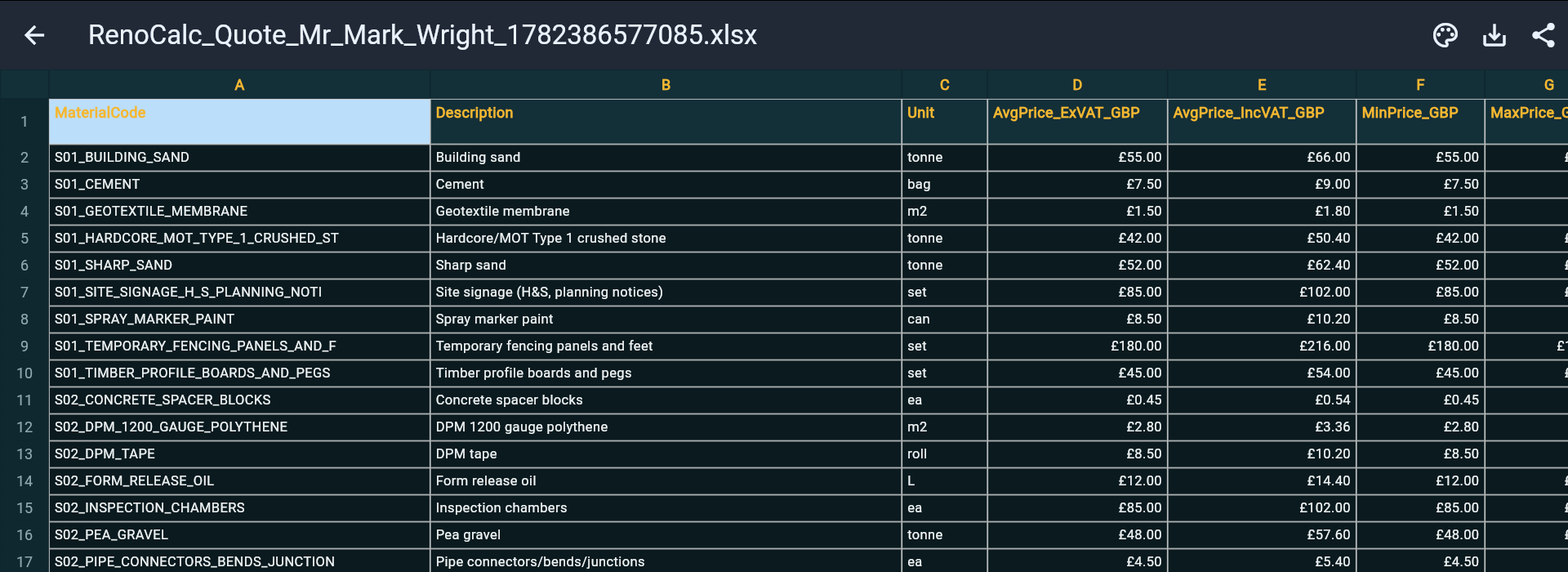
RenoCalc eliminates the manual takeoff step. Upload a floor plan and the AI identifies the rooms, measures the floor areas, wall areas and ceiling areas, and calculates the material quantities required for each trade automatically. Those quantities are then priced against a live UK material price library — the same library that updates to reflect current merchant pricing, not prices from two years ago.
The output is a RenoCalc Spreadsheet with a room-by-room materials breakdown: each material listed by trade, with quantities, units and costs already calculated. You can adjust quantities, swap materials or update prices before issuing the quote — but the calculation starting point is already done. For notifiable construction projects, the HSE CDM 2015 regulations also require a materials and hazard identification stage as part of the pre-construction information.
This is particularly useful for renovation projects where the room count is high and the material list is long. Manually calculating plasterboard quantities, floor areas, tile quantities and paint coverage for a 6-room renovation takes hours. RenoCalc does it in approximately three minutes from a floor plan.
Related guides: how to do a material takeoff and construction quote template Excel.
See the Output
Watch how RenoCalc scans a floor plan and produces the materials section of a construction quote — quantities calculated room by room, priced automatically.
Frequently Asked Questions
What columns should a building materials quote template have?
A building materials quote template should include: item description (specific enough to be ordered from a supplier), unit of measure (m2, m, no., litre, kg), quantity, waste allowance, order quantity, unit cost, total cost, and supplier or specification reference. An optional waste allowance column is useful for materials where wastage is significant — tiles, timber and plasterboard typically carry 10–15% waste factors.
Why should materials and labour be listed separately in a builder's quote?
Separating materials from labour lets the client understand what they are paying for — and lets the builder manage their margin properly. If materials and labour are combined into a single rate, the client cannot see the cost split, cannot make informed decisions about material specification changes, and cannot compare quotes from different builders accurately. It also protects the builder if material prices rise after the quote is issued.
How does RenoCalc calculate material quantities automatically?
RenoCalc scans the uploaded floor plan with AI to identify room dimensions, wall areas, floor areas and ceiling areas. From these, it calculates material quantities required for each trade in each room — plasterboard area, paint coverage, floor covering area, tile quantities, timber lengths — and prices them against a live UK material price library. The result is a room-by-room materials breakdown with quantities and costs, ready to use as the materials section of a builder's quote.
What is a material takeoff and how is it different from a materials quote?
A material takeoff is the process of calculating the quantities of materials required for a job from drawings or floor plans — the quantity calculation that happens before pricing. A materials quote takes those quantities and applies unit costs to produce a priced materials list. The takeoff is the measurement stage; the quote is the pricing stage. RenoCalc combines both steps — scanning the floor plan to calculate quantities and applying its price library to produce a priced materials list.
Turn Your Floor Plan into a Priced Materials List
A properly structured materials quote template — with the right columns, trade groupings and waste factors — is a functional ordering document as much as it is a client-facing cost breakdown. Getting it right at the quoting stage prevents under-ordering, disputed extras and margin erosion on the job itself.
RenoCalc calculates material quantities from a floor plan and prices them against a live UK material library — producing the materials section of your quote in under three minutes. Try it free and see what the output looks like for your next job.
Materials Quote from a Floor Plan in 3 Minutes
Upload your floor plan. RenoCalc calculates quantities room by room, prices them from its live UK materials library, and delivers a complete RenoCalc Spreadsheet — ready to use or adjust.
Start Free — No Card Needed