Construction Quote Template Canva: Looks Good, But Is It Enough?
Quick Answer
Canva construction quote templates are visually attractive but functionally limited for real construction pricing. Canva has no spreadsheet formulas, no material price library, and no cost calculation capability. It works best as a cover page overlay for small decorating or handyman jobs — not for multi-trade renovation quotes requiring accurate cost breakdowns.
Canva gets a lot of search traffic from builders looking for quote templates. It is free, it produces attractive documents, and there are ready-made invoice and quote designs in the template library. So the honest answer to "can you use Canva for a construction quote?" is: it depends entirely on what you are quoting.
Let me be direct about this, because I see builders wasting time on tools that were never designed for construction work.
Where Canva Actually Works for Builders
Canva does a specific job well: it makes things look professional quickly. If you are a sole trader quoting a small decorating job, a garden fence, or a single room refurbishment — and the quote is essentially a single price with a brief scope description — Canva gives you a cleaner result than a blank Word document in less time.
Works well for:
- Sole traders and one-person operations
- Simple paint and decorating jobs
- Small repair or maintenance quotes
- A visual cover page for your quote pack
- Jobs with a single lump-sum price
Not suitable for:
- Anything with a material takeoff
- Multi-trade or multi-room quotes
- Jobs requiring VAT breakdown
- Schedule of works or method statements
- Itemised labour and materials
If your typical job runs over £5,000 or involves more than two or three trades, Canva is not a quoting tool. It is a design tool being used as a quoting tool, and the gap shows up quickly when a client asks to see the breakdown.
Where It Falls Short
The core limitation of Canva for construction quoting is one that no amount of clever template design can fix: it is purely visual. There are no formula cells. There is no calculation engine. Every figure you enter is a typed number, not a computed result.
This means:
- If a material cost changes, you recalculate manually and retype.
- If you add a trade, you update every subtotal and the total manually.
- VAT is not calculated — you type it in.
- There is no retention clause, no CIS reference, no stage payment schedule built in.
- If you export it, the client receives a beautiful PDF that tells them the price — and nothing about how you arrived at it.
On a job involving multiple trades — say, a bathroom refurbishment with plumbing, tiling, electrics, and carpentry — the quote is not a single number. It is a series of numbers that need to add up correctly and be traceable. Canva cannot provide that.
The Fundamental Problem: No Numbers
I have spent 32 years in construction, and I have seen the consequences of quotes that do not stand up to scrutiny. A beautifully designed PDF that says "kitchen extension — £45,000" with no breakdown is not a professional quote. It is a number on a nice-looking page. If the job goes over budget or a dispute arises, you have nothing to reference.
A professional construction quote — whether for a kitchen extension, a loft conversion, or a full renovation — needs to show your working. That means labour rates and hours per trade, material specifications and costs, VAT treatment (particularly important on renovations where reduced-rate rules may apply), retention terms, and exclusions. None of this is possible in Canva without manually typing every figure and calculation.
The rule of thumb: if a client can reasonably ask "how did you get to that number?" and you would have to say "I typed it," you do not have a professional quote. You have a price on a nice-looking page.
Presentation vs Substance: Splitting the Problem
There is a legitimate role for Canva's strengths — and that role is the presentation layer, not the numbers layer. Some builders use a Canva-designed cover page as the front sheet of a quote pack, followed by a proper spreadsheet breakdown. That is a reasonable approach. The presentation makes a good first impression; the spreadsheet does the actual work.
The problem is when builders use Canva for the whole thing and skip the spreadsheet entirely. At that point, you have presentation without substance.
A properly structured quote pack has two distinct parts:
- The cover letter — client-facing, professional, describes the project and summarises the offer.
- The itemised breakdown — the numbers, by trade, with quantities, rates, labour and materials separated.
Canva can do the first (with effort). It cannot do the second.
RenoCalc: Both Parts Solved
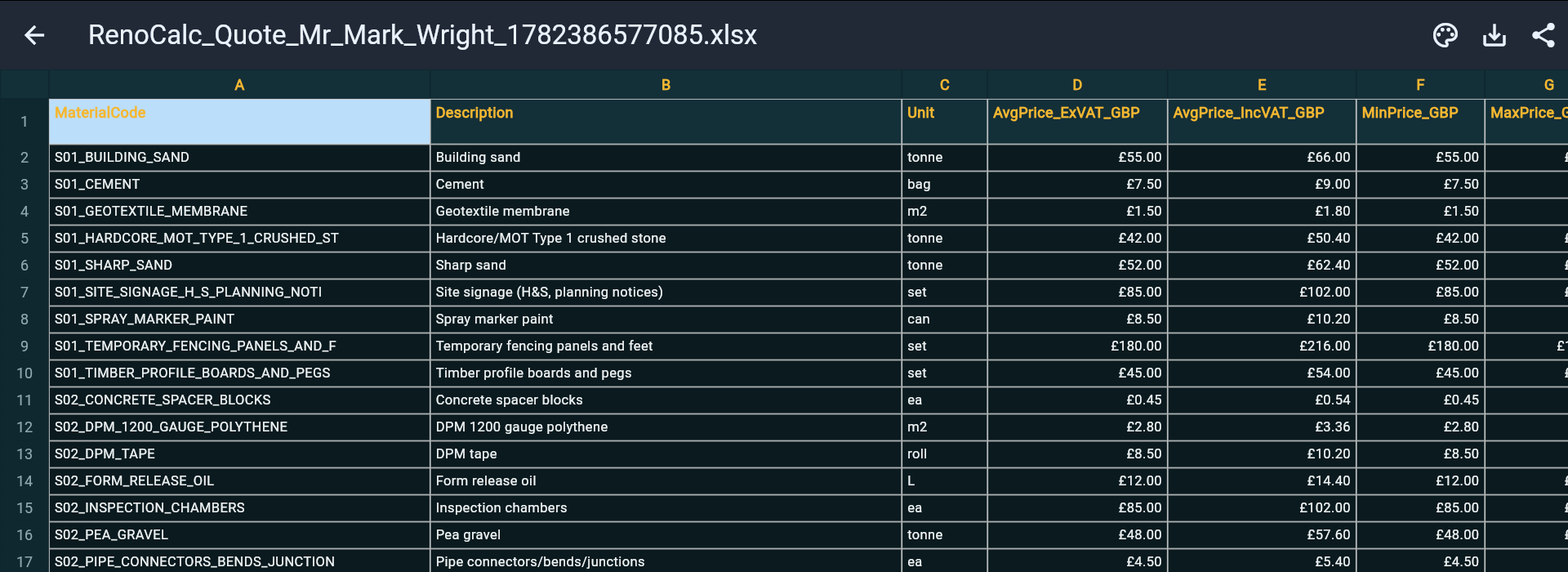
RenoCalc was built to solve both halves of the quoting problem at once. Upload your floor plan, and the AI reads the drawing and generates the full quote pack in under three minutes. The output includes a professional cover letter — always free, generated automatically — and the RenoCalc Spreadsheet with itemised costs across all trades: materials and labour separated, by room and by trade.
The cover letter handles the presentation layer. The RenoCalc Spreadsheet handles the substance. Together, they produce a complete, client-ready quote pack without any manual calculation or design work from you.
For builders who are currently spending an hour or more on each quote — formatting a Google Doc, building a spreadsheet from scratch, writing a scope narrative — that is where the real time saving is.
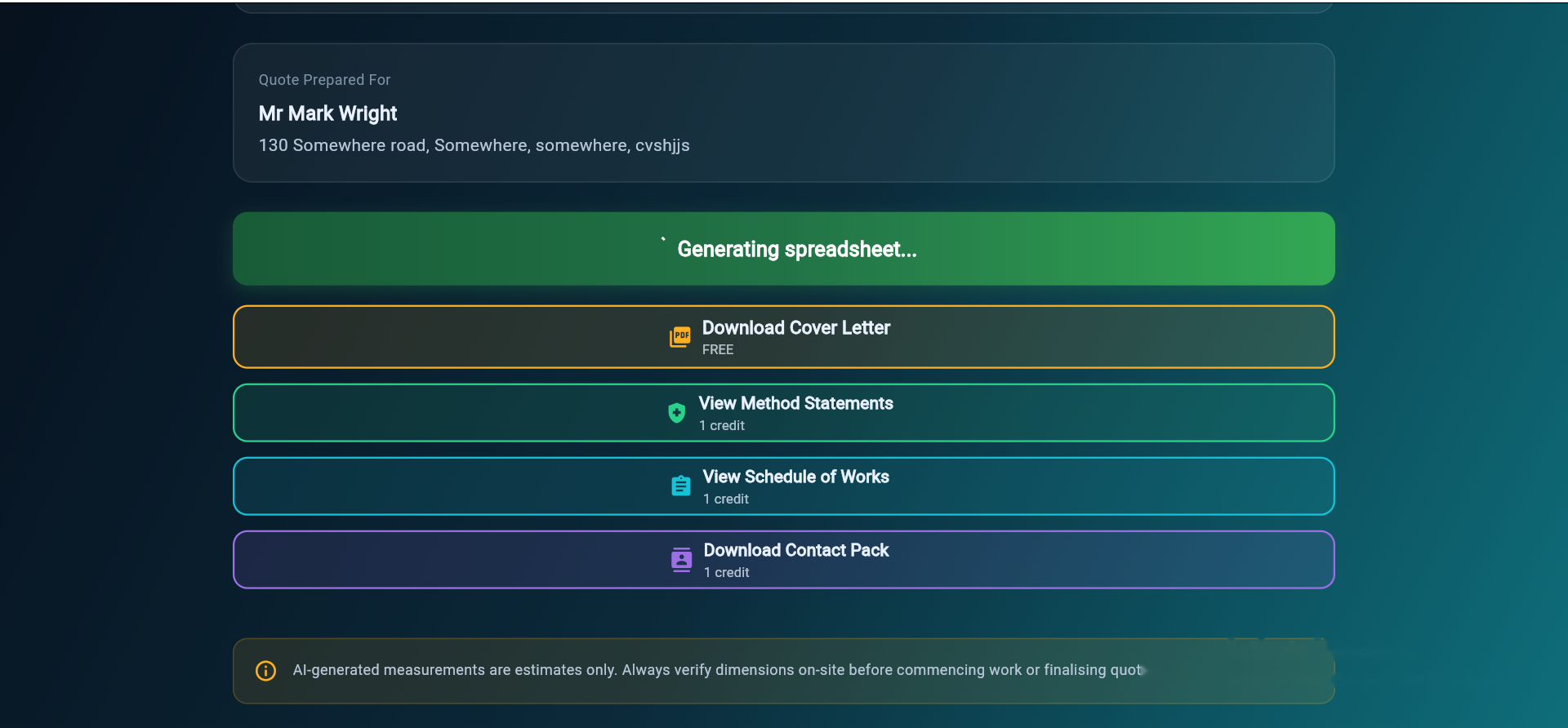
The first quote is free. The cover letter is always free. Paid plans start at £9.99 for a one-off pack, with monthly plans from £19.99 for builders who quote regularly. The full output includes a schedule of works, method statements, and a contract pack — none of which Canva can produce.
Stop Designing Quotes. Start Generating Them.
Upload your floor plan and get a professional quote pack in under 3 minutes. Cover letter always free. First full quote free. No card required.
Try RenoCalc FreeFrequently Asked Questions
Can you use Canva to make a construction quote template?
Yes, Canva can produce a visually appealing quote document and it is free at the basic level. It works well for a quote cover page or a simple one-price summary for low-value jobs. It is not suitable for anything requiring an itemised material takeoff, running cost totals, or multi-trade breakdowns — Canva has no formula or calculation functionality.
What type of jobs is a Canva quote template suitable for?
Canva quote templates are best suited to sole traders quoting simple, low-value jobs: a fresh coat of paint, a garden fence, a single room redecoration. For anything involving multiple trades, materials takeoff, CIS, VAT breakdown, or a schedule of works, you need a purpose-built quoting tool — Canva cannot provide any of those.
Does Canva have formula cells like a spreadsheet?
No. Canva is a visual design tool, not a spreadsheet application. It does not calculate totals, apply VAT, or update any figures automatically. Every number has to be typed manually, and if anything changes you have to recalculate and retype everything. For quotes involving more than a single lump sum, a spreadsheet or dedicated quoting tool is always a better choice.
How does RenoCalc compare to using Canva for a construction quote?
RenoCalc and Canva serve different parts of the problem. Canva can produce a nice-looking cover page. RenoCalc produces the full quote pack: a professional cover letter (generated free from your floor plan), the itemised RenoCalc Spreadsheet with all trade costs, a schedule of works, method statements, and a contract pack. RenoCalc also reads your floor plan so you are not typing measurements or quantities manually.

About the Author
Pindi Sahota has 32 years in the building trade, running construction projects across the UK. He is the founder of RenoCalc — the AI quoting tool that turns floor plans into full job quotes in under 3 minutes. Based in Coventry, Director of Future Build Cov Ltd.